
Tracking Parts Inventory When Your Products Share Components
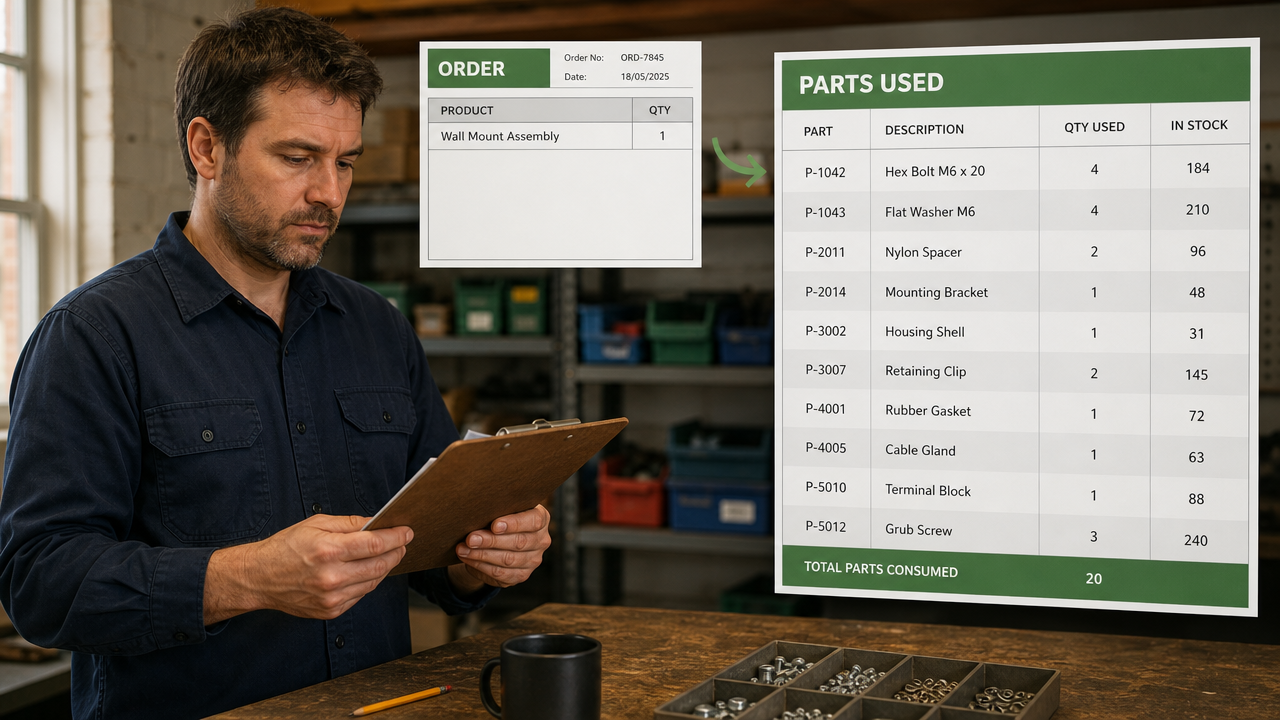
A small manufacturer came to us with a clear problem. Around thirty-five products, more than a hundred parts, and many of those parts used in several products at once.
They sold through an online store. They had accounting software for profit and loss. What they didn’t have was any link between the two.
They knew what they had sold. They had no reliable way to know what it had consumed.
What they asked for was a Google Sheets system that would subtract parts from the BOM automatically whenever a product sold. That is a harder request than it sounds, and the reason is the shared parts.
An online store counts products. It doesn’t know what a product is made of.
This is worth stating plainly, because it catches people out.
A store platform tracks finished goods. Sell one, subtract one. That model is built for a business that buys a thing and sells the same thing. For anyone who assembles what they sell, it stops halfway.
The store knows a product left the building. It has no idea that the product contained four of one part, two of another, and one of a third. So the numbers it shows are correct and useless at the same time.
Accounting software has the same gap from the other direction. It tells you what you spent and what you earned. It doesn’t tell you how many of a particular bracket are on the shelf.
Between the two sits the question nobody’s software was answering: what is left.
Counting products tells you nothing when the parts are shared
If every product had its own unique parts, this would be arithmetic anyone could do on paper.
They don’t. Many of the products share parts, and that is the whole reason the job existed.
Once parts are shared, stock stops being a property of a product. Suppose one component goes into six different products. Selling any of those six draws down the same pile. Nobody can look at sales of a single product and say anything useful about whether that component is running out.
It gets worse in the other direction. You might have two hundred of one part, a hundred and fifty of the second, and a hundred and eighty of the packaging. You can build a hundred and fifty units. Count those three things separately and you will believe you have more than you do.

So the question is never how many of this product do I have. It’s what will one sale of this product consume, and what does that leave me.
That question cannot be answered by a stock column. It needs a structure underneath it.
Three tables, and the middle one does the work
The system reduces to three things.
A parts database. The BOM itself. One row per part. Name, picture, material, finish, cost, shipping cost, lead time, and the suppliers it can be bought from. Some parts had a single source. Some had as many as fifteen, though two to four was normal. That’s a real detail with a real consequence: lead time and cost are properties of a part and a supplier, not of a part alone.
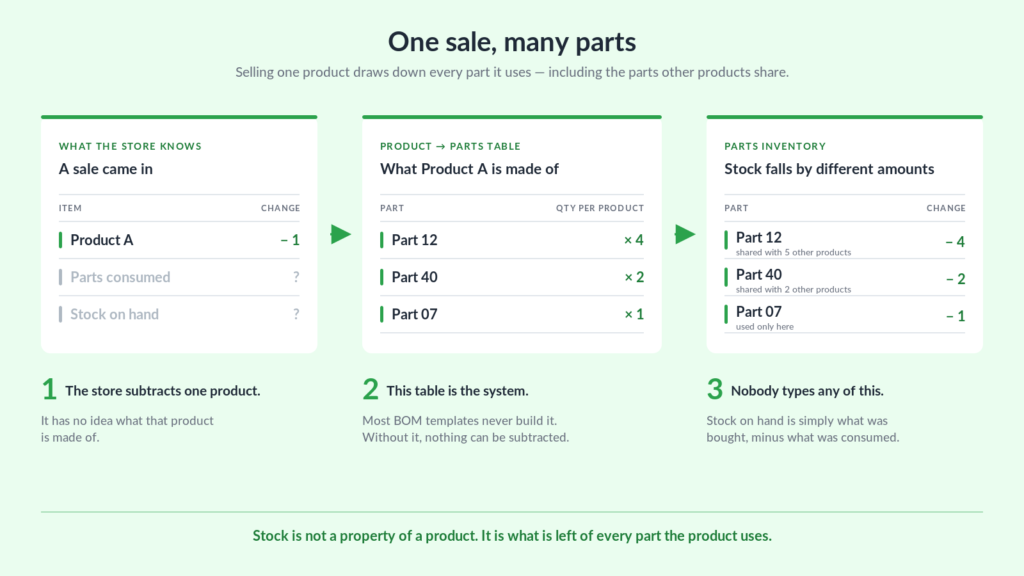
A product database that lists parts and quantities. Not a description of what a product contains. A row for every part a product uses, with how many of it. Product A takes four of part 12, two of part 40, one of part 7.
Sales, arriving on their own. Every order from the store lands in the sheet without anyone typing it.
The middle table is the one people leave out, and it’s the one that makes the system work. It’s a boring object. It has no formatting and nobody looks at it. But it’s the only place in the business where the sentence this product is made of these parts in these quantities is written down in a form a formula can read.
With it, a sale is no longer an event that reduces one number. It’s an instruction to reduce several, by different amounts, wherever those parts happen to be used.
Most BOM templates you can download stop at the first table. They list the parts, the parts have costs, and that’s the end of it. The list is the easy half.
Parts sold had to be calculated, never entered
Worth saying how the quote broke down, because it shows where the difficulty actually sits.
Purchases were a modest line. Somebody types in what was bought, and that’s fine — buying is deliberate, occasional, and already documented on an invoice.
Parts sold was one of the largest lines in the quote.
Initial inventory levels cost nothing at all.
That last one surprises people. Current stock is the number everybody wants to see, so it feels like it should be the expensive part. It isn’t, because it isn’t a thing you build. It’s what’s left when you subtract what has been consumed from what has been bought. Get those two right and the number you wanted appears on its own.
The consumption side was expensive because it had to run without a person.
The client had offered to enter the sold items himself if automating them wasn’t possible. It was worth spending the money not to. If somebody has to record what each sale used, the system has already failed. That’s the same manual work moved from one place to another, and it decays the moment a week gets busy.
So orders come in from the store through webhooks, land in the sales sheet, get matched to the product database, and draw the parts down. An earlier suggestion was to wire the store to the sheet with an off-the-shelf automation tool. The client had never used one, and it would have left them maintaining something they didn’t understand. We wrote the connection directly instead.
Then the old orders turned up
The system worked from that day forward. The numbers were still wrong, because the business had a history and the history didn’t fit.
Orders placed before the build carried no product codes. Without a code there’s nothing to match to the product database, so those sales consumed nothing. A second batch was worse: those orders had never been recorded as line items anywhere. What the customer had bought existed only as a line of description text.
Neither of those is a spreadsheet problem. Both had to be dealt with anyway, because inventory that starts from an arbitrary date is a guess dressed up as a figure.
So we mapped codes onto the old orders. For the second batch we wrote a script that read the description text, worked out the products and quantities inside it, and turned each one into proper line items. Those then linked back to the right customer.
Unglamorous, and quoted separately. But it’s the difference between a system that is right and a system that merely runs.
What the business got
They stopped keeping the parts list in their head. What goes into what was written down once, in a form the business could act on rather than one a person had to remember.
Stock updates itself. Sales arrive from the store and draw down parts without anyone recording anything. Nobody maintains the number. It’s a consequence of selling.
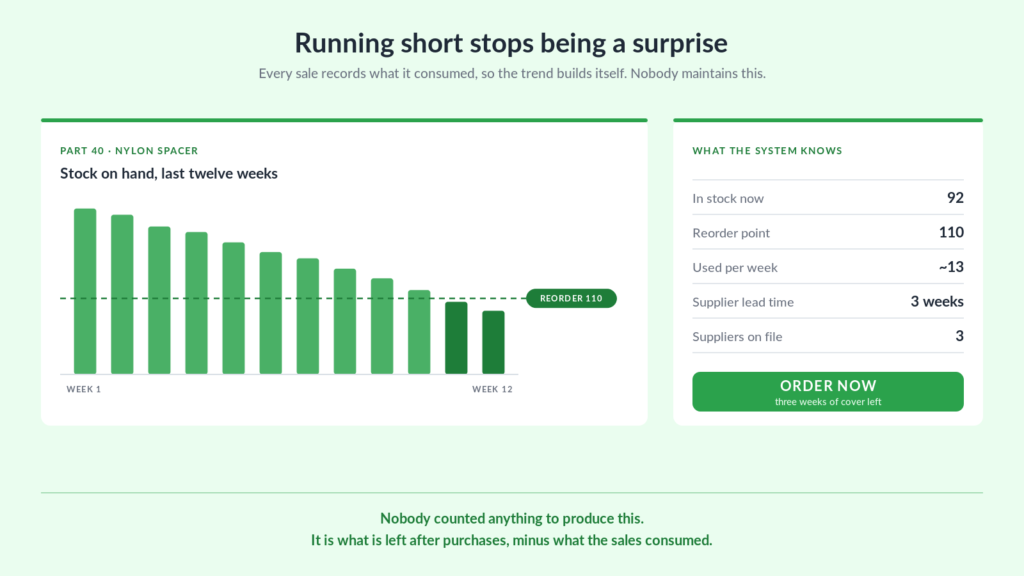
Buying became a decision instead of a reaction. Lead times and suppliers sit on the part, with consumption visible against them. Running short becomes something you see coming rather than something you discover.
They can add products without us. Shortly after delivery the client added two new products, linked their parts, and watched them flow through correctly. That’s the part that matters most. A system only the builder can extend is a system with an expiry date on it.
It carried three years of change. Products were added. Parts changed. Orders behaved in ways nobody predicted, including duplicates when an address was edited and postcodes losing their leading zeros in the store’s export. Each of those got fixed in place. The structure never had to be rebuilt, because the structure was right.
The client told us on delivery that it would save an enormous amount of unnecessary time, and added a tip on top of the fee. We kept watching the connection for a while after handover, because one early order had come through without a product code and we wanted to be sure it was a one-off.
Should you just buy BOM software instead?
Sometimes, yes. We would rather say that than pretend otherwise.
There are good products built for exactly this. If you want nested assemblies several levels deep, production scheduling, and a dedicated operations person to run it, buy one of those. They do more than a sheet will.
A BOM inventory system in Google Sheets makes sense in narrower circumstances. When the rest of the business already runs on spreadsheets and accounting software you’re not replacing. When you want the dashboard and the projections shaped around how you actually think, rather than how a product decided you should. When you’d rather own the thing outright than rent it monthly. And when what you need is precisely this and nothing else.
The client already had accounting software and wasn’t going to stop using it. What was missing was the piece in between, and that’s what got built.
If your jobs consume shared materials
The business here manufactures. The structure isn’t specific to manufacturing.
A roofer’s jobs consume shingles, underlayment, drip edge and fixings, and the same fixings go into every job. A builder’s assemblies share timber, fasteners and sealant across completely different pieces of work. A fabricator, a signmaker, an installer — anyone whose finished work is made of bought-in components has the same shape of problem.
The tell is simple. If you can say what you sold last month but not what it used, you’re counting the wrong thing. It isn’t a discipline problem and it won’t be fixed by counting more carefully.
It’s fixed by writing down what each thing is made of, in a form your system can read, and letting the subtraction happen on its own.
If this sounds familiar
We build custom inventory and BOM systems in Google Sheets and Excel, connected to the store or the tools you already use, and handed over so you own them.
Get in touch and tell us what you make and what it’s made of. We’ll tell you what it would take. No obligation. If an off-the-shelf product would serve you better, we’ll say so.
Keep reading
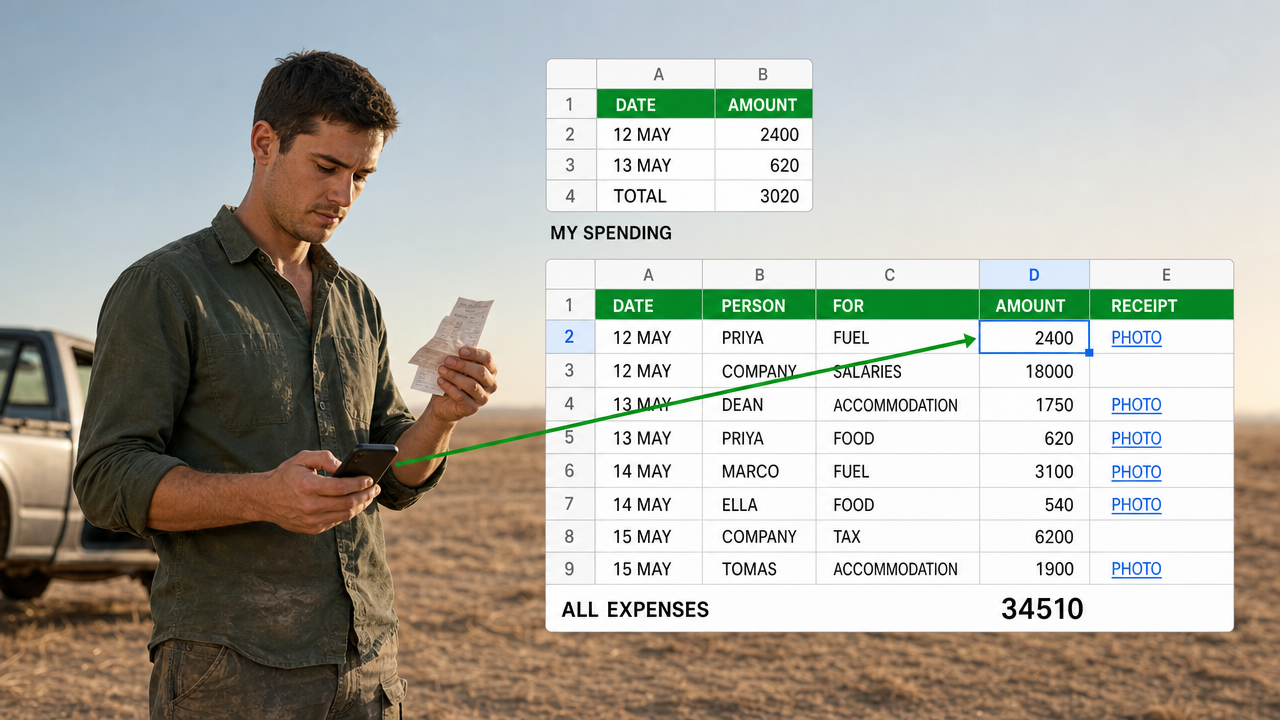
A Google Sheets Cash Book That Several People Can Spend From
Five people spending, so five forms. That is the answer everyone reaches for, and it ties the shape…
A Google Sheets Booking System That Counts Who Actually Turned Up
Six places booked, four people aboard. A booking sheet that records only the promise is measuring your intentions.…
Tracking Hundreds of Jobs Through Stages in One Spreadsheet
A tab for every stage drifts within a fortnight. Keep one table instead, and let every list be…
Want this built for your team?
Book a free 30-minute discovery call. We will map the system before you commit to anything.